


Table of Contents
- Why Every Family Needs an Emergency Communication Plan
- Step 1: Build Your Family Emergency Contact Card Template
- Step 2: Emergency Meeting Point Ideas for Your Household
- Step 3: How to Communicate During a Power Outage
- Step 4: Assign Roles and Share the Plan With Everyone
- Step 5: Practice, Test, and Update Your Plan
- Step 6: Pack the Right Gear for Your Plan
- Conclusion: Your Family's Safety Starts With a Plan
- Frequently Asked Questions
Last Updated: September 13, 2026
Why Every Family Needs an Emergency Communication Plan
An emergency communication plan for families is a written set of instructions telling every household member who to contact, where to meet, and how to check in when phones, power, and normal routines fail. At Dragoon Unlimited, we build gear for people who take readiness seriously, and the hard truth from 25 years of military service is this: the families who fare best in a crisis decided what they would do before it arrived.

That decision takes about an hour. Below are six steps, from building a contact card to packing the gear that backs the plan up.
The gap most households have isn't supplies. It's a shared script. When a storm knocks out the grid and family members scatter across work, school, and home, everyone defaults to guessing. A written plan replaces guessing with a sequence: text first, meet here, check in there.
Step 1: Build Your Family Emergency Contact Card Template
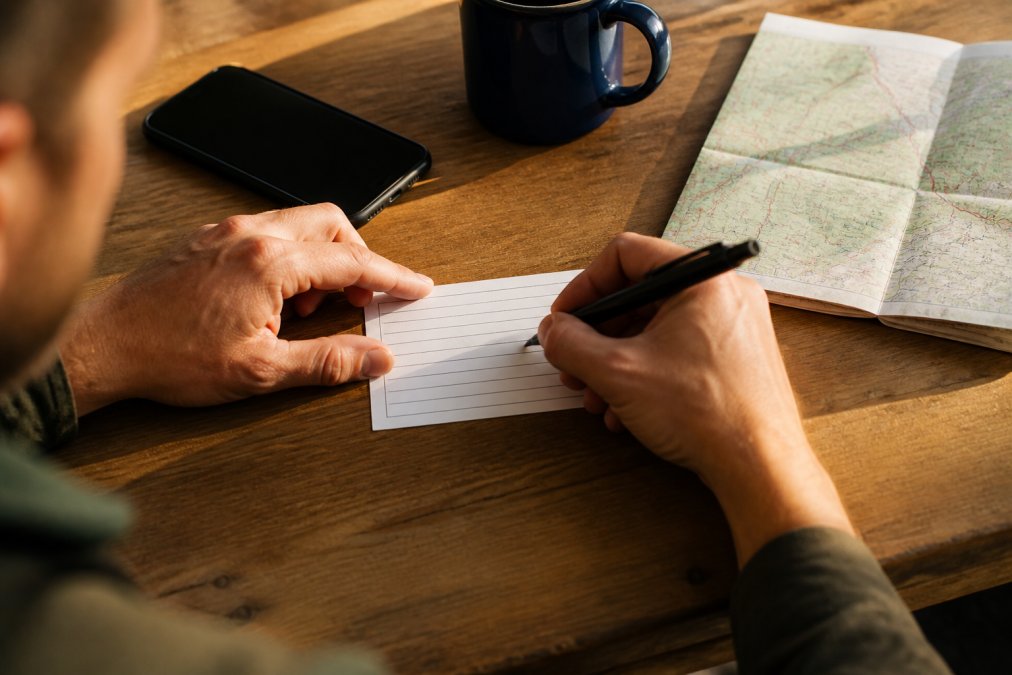
A family emergency contact card template is a small card, paper or digital, that lists each household member's name, phone number, medical notes, and the one out-of-area contact everyone reports to. The Ready.gov family communication plan guidance recommends every household carry this information in wallets, backpacks, and vehicles. Most guides stop there. The modern version of this card lives in three places at once: a laminated paper copy, an encrypted note on every phone, and a cloud document your out-of-area contact can open from anywhere.
What to Include on Your Contact Card
- Each household member's full name and mobile number
- One out-of-area contact with name, number, and relationship
- A nearby meeting place and an out-of-neighborhood meeting place
- Medical notes: allergies, medications, blood type
- School and workplace phone numbers for every family member
- The name of your family's encrypted messaging group and the app it runs on
- A short note on who has a spare house key and where it is kept
Digital vs. Physical Card Formats
Print two copies per person and laminate one for each backpack or wallet. For the digital version, save a fillable form to every phone and email a copy to your out-of-area contact. A common mistake is relying on a single format. Phones die; paper gets wet. Carry both.
The Digital-First Layer Most Guides Skip
Paper cards are the floor, not the ceiling. Build a digital layer that survives a dead phone, battery, and network.
Encrypted messaging group. Create one group in an end-to-end encrypted app and add every household member plus your out-of-area contact. End-to-end encryption means messages are readable only on the devices in the group, so a compromised network or spoofed cell tower can't read your check-ins. Name the group something everyone recognizes instantly and pin it so no one has to scroll under stress.
Cloud document with offline access. Store the contact card in a cloud drive and turn on offline availability on every phone, so the file opens even with no signal. Share it with your out-of-area contact so they can read the plan without calling you.
Battery-saving phone settings. Walk every family member through three settings: low-power mode, reduced screen brightness, and turning off Bluetooth and Wi-Fi scanning when not in use. A dimmed phone in low-power mode stretches a partial charge for hours longer than one running full brightness and background sync. Airplane mode between check-ins saves even more.
A shared password manager entry. If your household uses a password manager, store the contact card and encrypted group name in a shared vault entry, giving every adult one place to look and update when a number changes.
Accessibility and Neurodivergent Considerations
A contact card written in dense paragraphs fails the family members who need it most. For a child, an elderly parent, or a neurodivergent family member, build a simplified version with pictures, short sentences, and a numbered sequence of actions. A visual checklist, one icon per step, in order, works better under stress than a paragraph of instructions because it removes the need to read and interpret while panicking. Keep it the same size as the standard card so it fits the same wallet or backpack pocket.
Pet-Inclusive Contact Information
If your household has pets, the contact card is incomplete without them. Add your regular veterinarian, the nearest 24-hour emergency animal hospital, and a pet-sitter or neighbor who has agreed to take the animals if no one can get home. Note each pet's species, breed, and medication. Since many shelters don't accept animals, also list one pet-friendly hotel or boarding facility within driving distance, that single line turns a frantic search into a phone call.
Step 2: Emergency Meeting Point Ideas for Your Household
The best emergency meeting point ideas follow one rule: pick two locations at different distances, and make sure everyone can walk to at least one. A meeting point only works if every household member, including the youngest, knows the route by heart.
Nearby and Out-of-Neighborhood Meeting Locations
Choose a spot within walking distance, a neighbor's front porch, a specific tree at the end of the block, or the mailbox cluster. Then choose a second location outside your immediate neighborhood: a library, a place of worship, or a relative's home. If the first location becomes unsafe or unreachable, the second becomes the rally point. Establishing these designated meeting areas ensures that everyone knows where to gather once the process of securing your home has been completed during an evacuation.
Step 3: How to Communicate During a Power Outage
Text, don't call. When the power goes out, cellular network congestion is the first thing that breaks communication, because voice calls consume far more bandwidth than a short message (fcc.gov). A text often slips through when a call won't connect, and it queues automatically for delivery once a tower comes back online.
Text-First Protocols and Battery Conservation
Agree on a check-in schedule: everyone sends a status text at a set time, such as every two hours, to the same out-of-area contact. That person becomes the hub who relays information to everyone else, keeping network load down.
Battery conservation matters as much as the message itself. Put phones in low-power mode, dim the screen, and turn off Bluetooth and Wi-Fi scanning. Keep a charged power bank in every go-bag. For official alerts, the FEMA wireless emergency alerts system pushes warnings to compatible phones even when apps and data are down, so leave emergency alerts enabled.
| Situation | Action | Why It Works |
|---|---|---|
| Power out, phones up | Send one text to out-of-area contact | Texts clear congested networks faster than calls |
| No signal at all | Move to high ground or an open area, retry every 30 minutes | Physical obstructions block weak signals |
| Phone battery low | Low-power mode, airplane mode between check-ins | Stretches remaining charge for hours |
| Local towers down | Rely on the out-of-area contact as relay hub | Long-distance lines often stay open |
Post-Disaster Reconnection: When the Danger Passes but the Grid Doesn't
Most guides end at the outage. The harder problem starts when the storm is over and the infrastructure is still down for days, the phase where families get separated the longest, and the one almost no plan prepares for.
Sign Up For Our Newsletter for 10% OFF →
Set a reconnection window, not a reconnection time. Pick a window, for example, the first two hours after sunrise and after sunset, when everyone tries to reach the out-of-area contact. Windows absorb the reality that a phone may be dead, a road blocked, or a shelter without signal. A fixed time fails the moment one person can't hit it.
Define a physical fallback when digital fails completely. If no one can reach the out-of-area contact for a full day, agree in advance that everyone converges on the out-of-neighborhood meeting place at a set time on a set day. That single rule turns a total communications blackout into a predictable rendezvous.
Use the out-of-area contact as a message board, not just a relay. Have that person keep a running written log of who checked in, when, and where they were. When the network returns, that log tells you who is still unaccounted for. A relay passes messages; a message board preserves them.
Plan for the shelter phase. A family member in a public shelter may be there for days. Agree in advance that anyone who goes to a shelter leaves a note with the out-of-area contact naming the shelter and arrival date. Shelters are often the last place a family thinks to check and the first place a separated member ends up.
Reunite in stages, not all at once. When roads reopen, don't send everyone driving at once. Have one adult make the first trip to the meeting place, confirm who is there, and report back through the out-of-area contact before anyone else moves. This avoids two family members passing each other on the road and waiting at different locations.
A Simple Reconnection Checklist
- Out-of-area contact confirmed and reachable before the event
- Reconnection windows written on every contact card
- Physical fallback meeting place and time agreed by all
- Out-of-area contact briefed to keep a written check-in log
- Shelter protocol: leave a note with the out-of-area contact
- Staged reunion rule: one adult moves first, reports back, then others follow
Step 4: Assign Roles and Share the Plan With Everyone
A plan nobody has read is not a plan. Assign each household member a role: who grabs the emergency preparedness kit, who handles the pets, who locks up the house. Write the roles on the back of each contact card so no one has to remember under stress.
Then share it. Email the plan to your out-of-area contact, give a copy to a trusted neighbor, and store one in each vehicle. If a family member has a cognitive or sensory disability, add a simplified version with pictures and short sentences, neurodivergent family members often handle emergencies better with a visual checklist than a paragraph of instructions, and that accommodation costs nothing.
Step 5: Practice, Test, and Update Your Plan
Run an emergency drill twice a year, and treat it like a real event. Pick a Saturday, announce a scenario, and have everyone execute it: text the out-of-area contact, walk to the meeting place, and check the go-bags. Time how long it takes.
After each drill, update the plan. Phone numbers change, kids grow, and schools revise their emergency procedures, a plan accurate in January can be stale by June. Test the text protocol too: send a group message and confirm everyone receives it, because a contact saved under the wrong number is a silent failure.
Step 6: Pack the Right Gear for Your Plan
Your plan needs physical backup. A communication plan that depends entirely on a charged phone is a single point of failure.
Start with the essentials: a battery bank, a hand-crank or battery radio for emergency alerts, printed copies of the contact card, and a shelter option if you can't get home. For that last piece, the Dragoon Unlimited Ridgeback One Person Tent is built for exactly this scenario: a one-person bugout shelter with 90 inches of length and 42 inches of headroom, sized for real adults, not backpacking models. It sets up fast in bad weather, the only kind you'll be setting it up in.
Pair it with a Dragoon Unlimited Trail Rider poncho liner for warmth if you're stranded overnight. Every piece we sell is field-tested, and 5% of our proceeds go to veteran organizations. That's not marketing; it's the reason we started.

Conclusion: Your Family's Safety Starts With a Plan
The families who come through a disaster intact aren't luckier. They wrote the plan, practiced it, and packed the gear before the sirens. If your household doesn't have a written emergency communication plan yet, tonight is the night to fix that.
Dragoon Unlimited builds gear for people who prepare, not panic: field-tested shelters, ruggedized optics, and layers that hold up when the conditions turn. We ship fast, stand behind every product, and design it with input from the people who use it. Sign up for our newsletter for 10% off and start building your family's readiness kit today.
Frequently Asked Questions
What should be included in a family emergency contact card?
A family emergency contact card should list each household member's name, phone number, and any medical needs. Add an out-of-area contact, a designated meeting point, and local emergency numbers. Include a wallet-sized physical card and a digital version saved on phones. Review and update the card every six months or after any major change.
How do you create a family emergency communication plan?
Start by gathering contact information for everyone in your household and choosing an out-of-area contact. Pick two meeting points: one near your home and one outside your neighborhood. Decide on a text-first protocol for emergencies, since text messages often get through when calls fail. Write the plan down, share copies with all family members, and practice it twice a year.
How often should you test your family emergency communication plan?
Test your plan at least twice a year. Run a drill where everyone sends a check-in text to your out-of-area contact, then meets at your designated meeting point. Update contact numbers, school information, and medical details during each test. Regular drills help children and adults remember what to do without hesitation.
What are some emergency meeting point ideas for families?
Choose a nearby spot like a neighbor's front yard, a mailbox cluster, or a specific tree for immediate reunions. For a wider evacuation, pick a community center, library, or trusted relative's home outside your neighborhood. Make sure every family member can name both locations and knows the route to get there without a phone.


